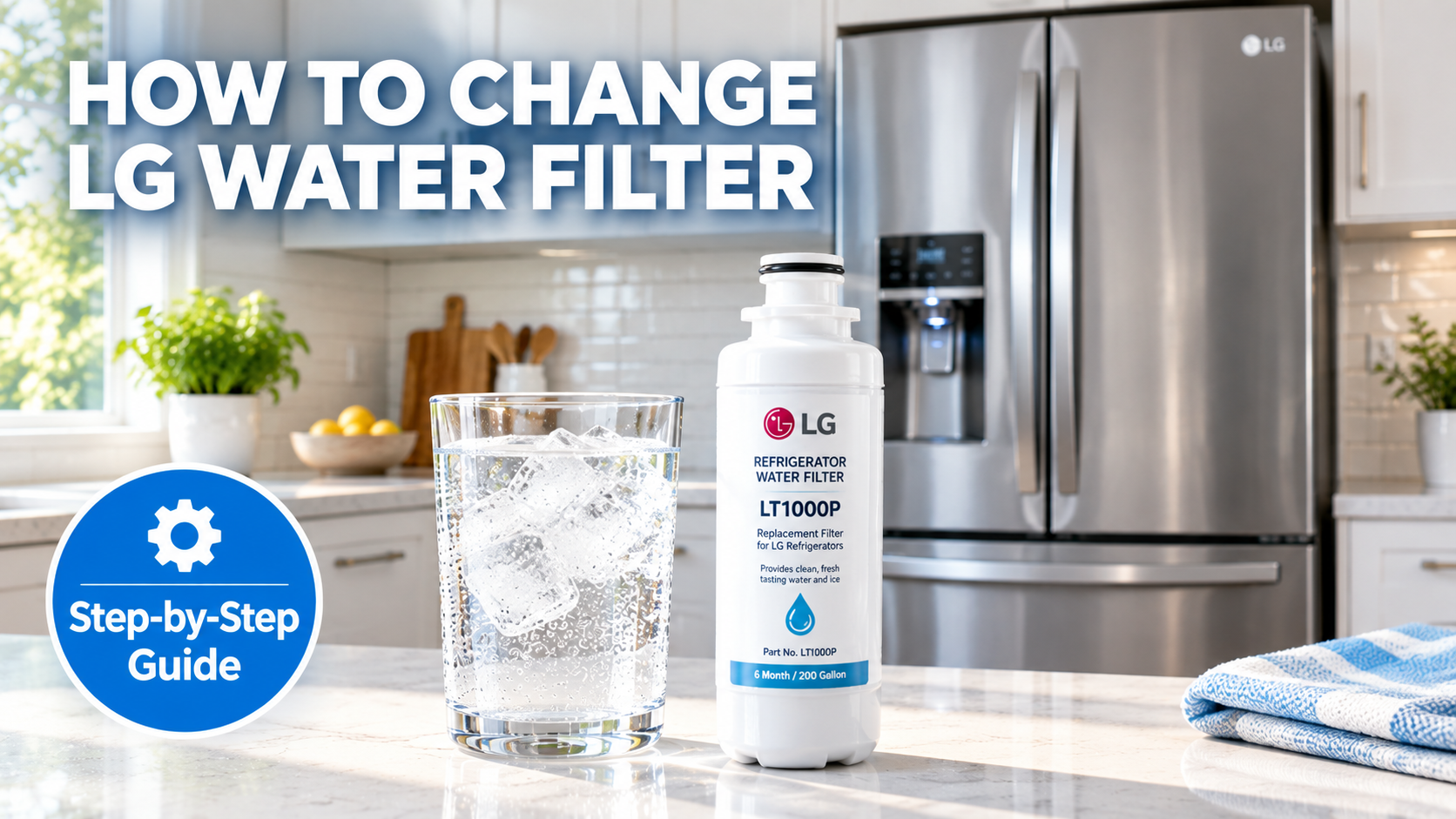
How To Change Water Filter In LG Refrigerator: Easy Guide
Changing the water filter in an LG refrigerator is a simple task that takes just a few minutes and requires no special tools. Whether your fridge is showing a filter replacement alert or you've simply hit the six-month mark, swapping out the old filter for a fresh one is one of the easiest ways to keep your water and ice tasting clean and crisp. Over the years, I've helped friends, family members, and even a few neighbors tackle this quick chore, and the truth is, if you can push a button and pull something out, you've already got the skills you need.
In this complete walkthrough, I'll walk you through every single step of how to change the water filter in an LG refrigerator, from finding the right replacement to resetting the filter indicator light. I'll also share some honest tips from personal experience, common mistakes to avoid, and answer the most common questions I get asked. By the end, you'll feel confident enough to do this in under five minutes, no plumber required.
Why Changing Your LG Water Filter Matters
Before we jump into the actual steps, let's take a moment to talk about why this small maintenance task is so important. Your LG refrigerator's water filter does more than just clear up the taste of your drinking water. It actively removes contaminants like chlorine, lead, mercury, and other impurities that can sneak into your household water supply. Over time, that filter gets clogged with all the gunk it's been catching, and once it's full, it stops working as effectively.
Think of it like a coffee filter. When it's fresh, your coffee tastes clean and smooth. But if you reuse the same filter for weeks, the water starts to taste funky, and the flow slows to a trickle. Your fridge works the same way. A worn-out filter can slow down your water dispenser, make your ice taste strange, and even put extra strain on the appliance itself.
Most LG refrigerator water filters are rated to last about six months or roughly 300 gallons of water, whichever comes first. If you live in a larger household or go through a lot of water, you might need to swap it more often. Personally, I just set a reminder on my phone every January and July. That way I never have to guess, and my water always tastes great.
Signs It's Time to Replace the Filter
- Your fridge has a "Replace Filter" light glowing on the display.
- Water from the dispenser tastes off or has a faint odor.
- Ice cubes look cloudy or have a strange aftertaste.
- Water flow from the dispenser seems slower than usual.
- You can't remember the last time you changed it (more than six months).

What You'll Need Before You Start
The beauty of this job is that you don't need much. In fact, most of what you need probably already lives in your kitchen. Here's a quick checklist so you can gather everything before you start turning things on and off.
- A new LG water filter (model LT1000P, or check your manual for the exact one).
- A clean cloth or paper towel.
- A cup or container to catch any drips.
- Access to your owner's manual if you're unsure about the location of the filter.
Choosing the Right Replacement Filter
This is where a lot of folks make a costly mistake. Not every water filter fits every LG fridge, so you want to make sure you grab the right model. The most common LG refrigerator water filter is the LT1000P, but there are a few others depending on your model number. The easiest way to find out which one you need is to just pull out the old one and check the label. It'll say right on it.
You can buy genuine LG filters directly from the brand, or you can go with a third-party option. I've tried both over the years, and here's my honest take. Genuine LG filters tend to last a bit longer and filter more consistently, but the off-brand ones are usually cheaper and work just fine for most households. If you go with a third-party filter, just make sure it's NSF-certified so you know it's actually doing its job.
How to Change the Water Filter in an LG Refrigerator: Step-by-Step
Alright, now for the part you've been waiting for. Changing the water filter in an LG refrigerator is genuinely one of the easiest maintenance tasks you can do, and once you've done it once, you'll wonder why you ever put it off. Most LG fridges have the water filter located either in the upper right corner inside the fridge compartment or in the base grille below the freezer door. The exact spot depends on your model, so don't worry if your setup looks a little different from a tutorial you saw online.
Step 1: Locate the Water Filter
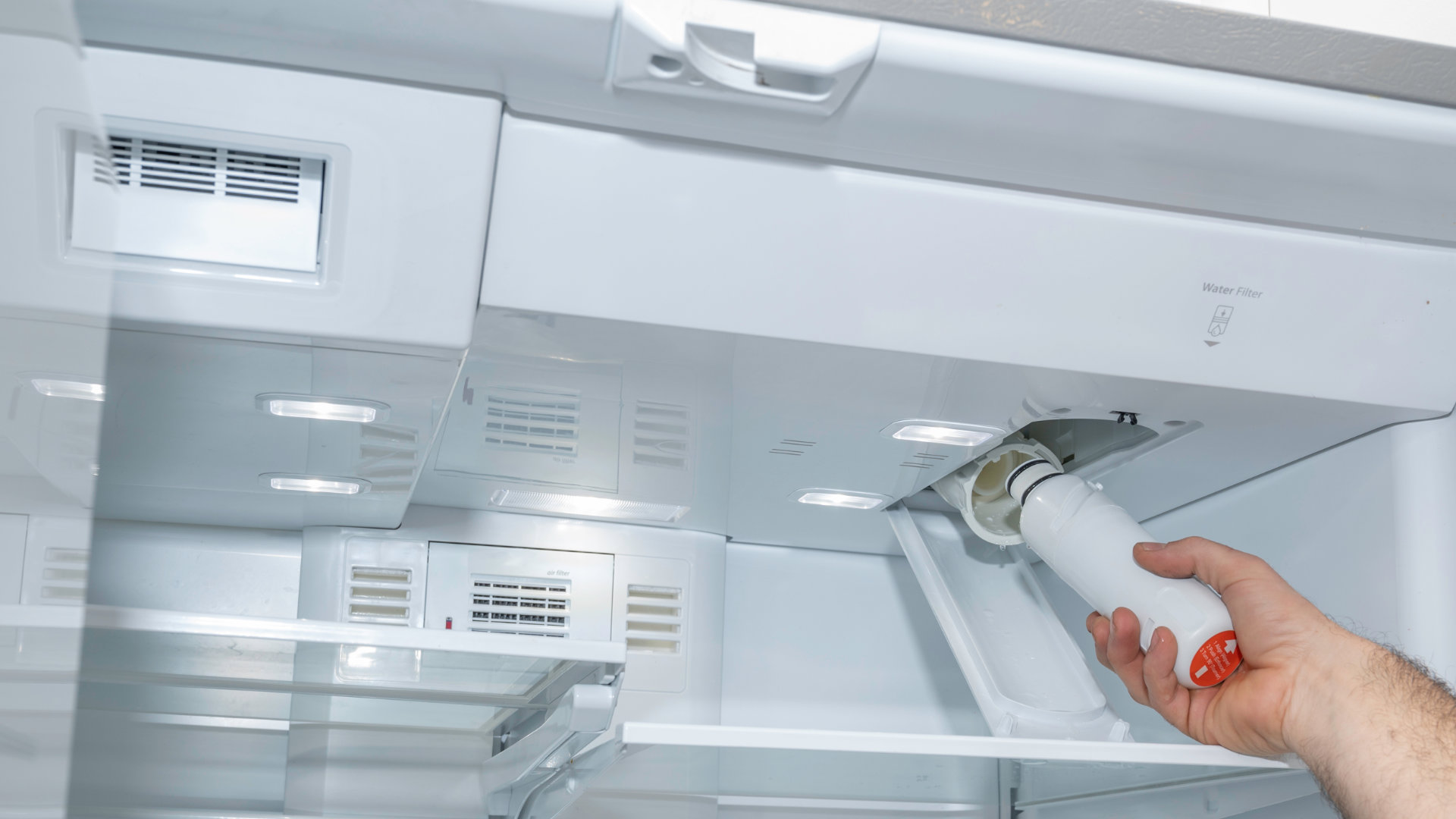
Open your refrigerator door and look at the top right-hand corner. On most LG models, you'll see a small rectangular or cylindrical compartment with a button or tab. If it's not there, check underneath the front of the fridge near the floor. There should be a small panel that pops off, and the filter will be tucked inside.
Step 2: Turn Off the Water Supply (Optional but Smart)
If you're worried about drips or leaks, you can shut off the water supply line behind the fridge. Honestly, I've changed dozens of these filters and rarely bother with this step. The water line is usually closed off by a small valve, and only a tiny bit of water comes out when you remove the filter. But if you have the time, it's a nice extra safety measure.
Step 3: Remove the Old Filter
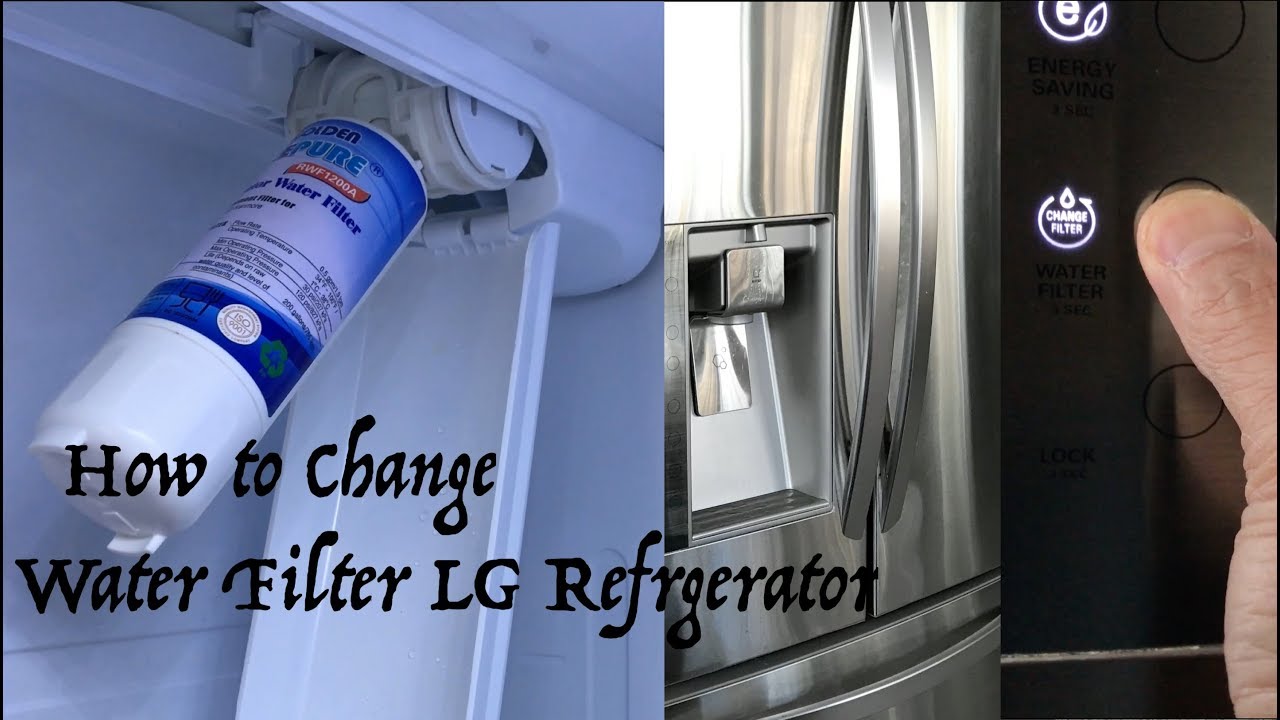
Once you've found the filter, press the release button or gently pull the filter straight out. Some models require you to twist it slightly, while others just slide out. Place your cup or cloth underneath to catch any drips, and have your new filter ready to go in right away so the opening doesn't sit exposed for too long.
Step 4: Prep the New Filter
Before you install the new filter, take it out of the packaging and remove any plastic caps or protective seals. Some filters come with a small cap covering the top and bottom. Make sure those are off, or the water won't flow properly. I made this mistake exactly once early in my career helping a buddy with his fridge, and we ended up with a dispenser that sputtered for a day before the water finally came through.
Step 5: Install the New Filter
Line up the new filter with the slot and gently push it in until you hear a click or feel it lock into place. If your model uses a twist mechanism, turn it clockwise until it stops. Give it a little tug to make sure it's secure. You don't want any wobble or looseness.
Step 6: Flush the System
This step is critical and the one that most people skip. After installing the new filter, you need to run water through the dispenser for about two to three minutes, or roughly two to three gallons. This clears out any air bubbles, carbon dust, and loose particles from the new filter. It's normal for the water to look cloudy or even slightly gray at first. Just keep flushing until it runs clear.
Step 7: Reset the Filter Indicator Light
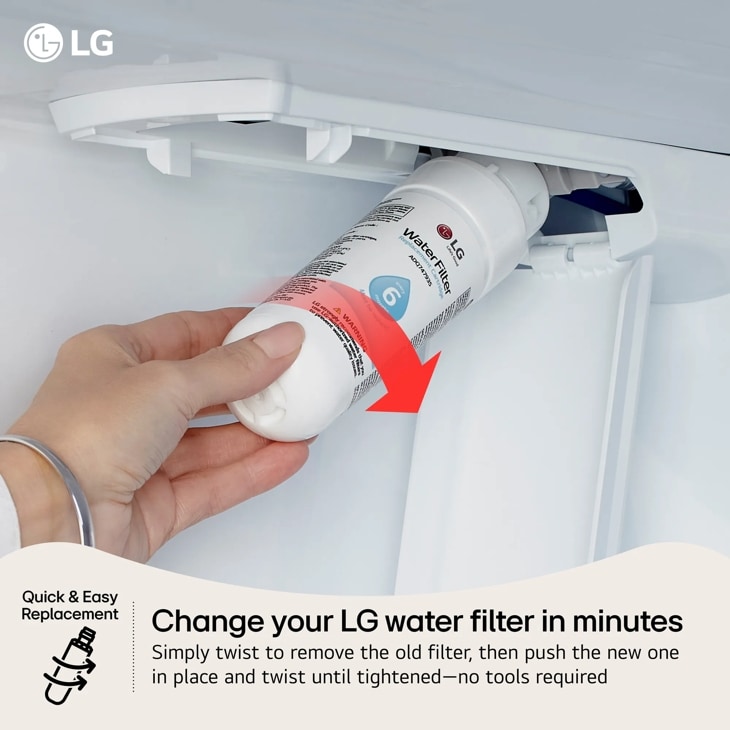
Once the filter is in and the water is running clean, head over to your fridge's control panel. On most LG models, you press and hold the "Filter Reset" button for about three to five seconds. The light should blink and then turn off, letting you know the system recognizes the new filter. If your model doesn't have a reset button, check the owner's manual for the specific reset procedure. Some require you to hold the "Ice Type" and "Child Lock" buttons simultaneously.
Common Mistakes to Avoid When Changing Your LG Filter
Over the years, I've seen people make the same handful of mistakes, and most of them are completely avoidable. Here's a quick rundown of the things to watch out for so your filter swap goes smoothly the first time.
- Forgetting to remove the plastic caps on the new filter.
- Not flushing the system long enough, leading to cloudy water and weird taste.
- Forcing the filter in the wrong way, which can damage the housing.
- Skipping the reset step, which means the warning light will stay on.
- Buying the wrong filter model, which is a waste of money and time.
If you keep these in mind, you'll save yourself a lot of frustration. Personally, I'd rather spend an extra minute double-checking the model number than have to run back to the store because the filter doesn't fit. Trust me on that one.
Tips for Maintaining Your LG Refrigerator Water Filter
Changing the filter is just one part of keeping your fridge running well. Here are a few extra tips that I've picked up over the years to help you get the most out of your water system.
- Set a reminder every six months so you never forget.
- Keep a backup filter on hand so you're never caught without one.
- Use the water dispenser regularly. If it sits idle, the water can taste stale.
- If you have hard water, consider changing the filter more often.
- Always write the date on the new filter with a marker so you can track when it was installed.
Benefits of Regularly Replacing Your Water Filter
Some folks wonder if changing the filter every six months is really necessary, especially if the water seems fine. But there are some real, tangible benefits to staying on top of it.
- Cleaner, better-tasting water straight from your fridge.
- Fewer contaminants in your ice cubes.
- Improved water flow and dispenser performance.
- Longer lifespan for your refrigerator's internal components.
- Peace of mind knowing your family is drinking safe water.
Frequently Asked Questions
How often should I change the water filter in my LG refrigerator?
LG recommends changing the water filter every six months or after filtering roughly 300 gallons of water, whichever comes first. If you notice a drop in water flow or an off taste, it's a good idea to swap it sooner.
Where is the water filter located in an LG refrigerator?
Most LG refrigerators have the water filter inside the top right corner of the fridge compartment. Some models, especially those with French doors, have the filter in the base grille below the freezer door. Your owner's manual will show the exact location for your model.
Can I use a third-party water filter in my LG refrigerator?
Yes, third-party filters can work, but make sure they are NSF-certified to ensure they meet safety and performance standards. I've used both genuine and aftermarket filters, and both have performed well, though genuine LG filters tend to last a bit longer.
Why is my water cloudy after changing the filter?
Cloudy water is completely normal right after a filter change. It's usually caused by trapped air in the lines. Run the dispenser for about two to three minutes to flush the system, and the water should clear up quickly.
Do I need to turn off the water before changing the filter?
You don't necessarily need to shut off the water supply, but it's a good idea if you want to avoid small spills. The water line has a built-in valve, so only a small amount of water will drip out when you remove the filter.
Final Thoughts
Changing the water filter in your LG refrigerator is one of those small, satisfying home maintenance tasks that makes a big difference. With just a few minutes of your time and a fresh filter, you can keep your water tasting clean, your ice crystal clear, and your fridge running smoothly. After helping countless people with this exact job, I can honestly say it's one of the easiest DIY wins out there. So grab that new filter, follow the steps, and enjoy a fresh glass of water when you're done. If you found this guide helpful, drop a comment below with your own tips or experiences. I'd love to hear how it went for you.